# Stake ADA from Account
{% hint style="success" %}
This section is for Operators only.
{% endhint %}
## Prerequisites for staking ADA
To initiate staking operations, you need to be a **Creator** in the staking governance rules of the account. If you are not, please contact your administrators to request the necessary permissions.
## Stake ADA from app UI
### Step 1: Register Your Account
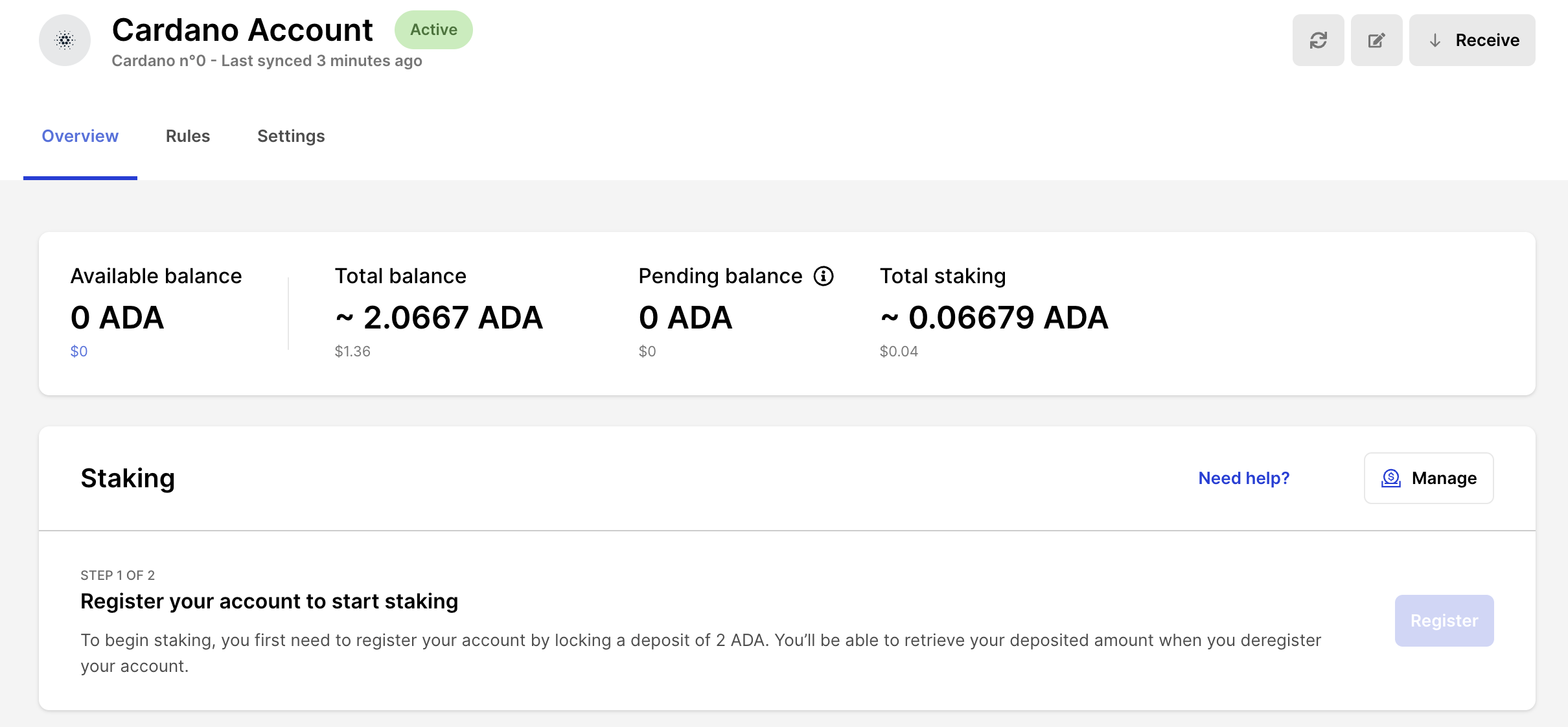
1. Visit your account page and click **Register.**
2. A modal will open with a prefilled deposit of 2 ADA to the blockchain.
3. Approve the transaction on your PSD.
4. Refresh the page after the transaction is confirmed.
**Note:** Only the deposit is needed. More ADA decreases rewards volatility.
### Step 2: Delegate Your Account
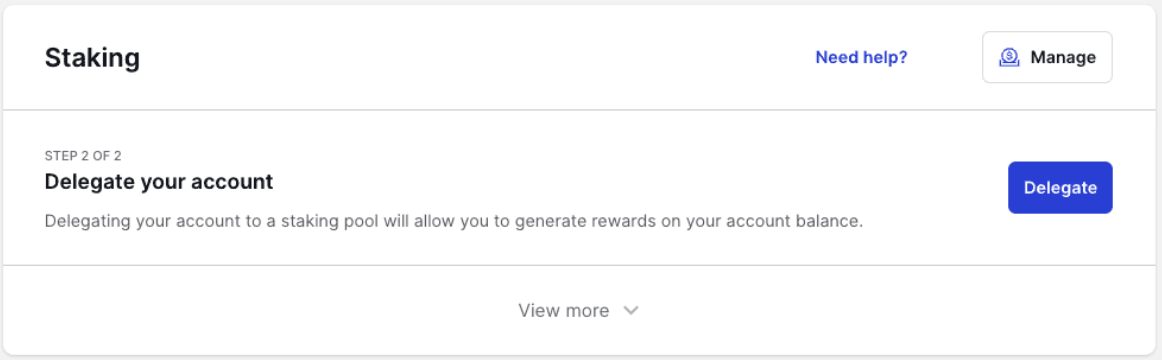
1. After registration, you'll see the **Delegate** option.
2. Delegate your account to a *Stake Pool* to earn rewards.
3. Delegation starts generating rewards within about 5 days (one epoch).
4. Select your stake pool validator from the provided options.
**Tip:** You maintain control of your assets. Changes in balance will alter your stake amount.
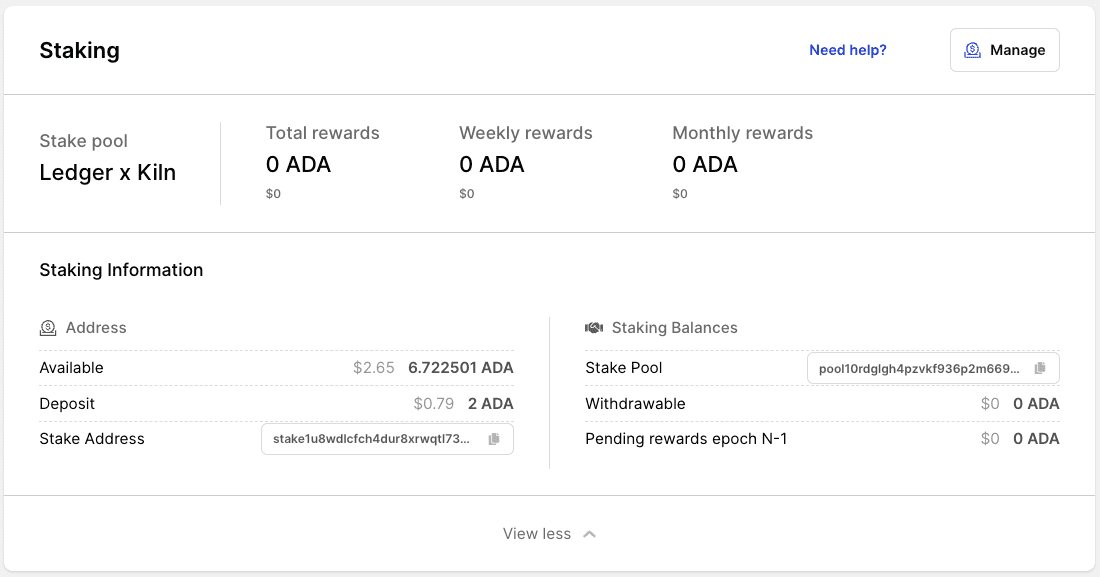
### Step 3: View Rewards and Stake Info
* Your account page provides all staking information and reward details.
### Step 4: Stake More ADA
1. After initial delegation, simply add more ADA to your account.
2. Be mindful of the 70M ADA per pool limit to avoid reward penalties.
3. Consider using multiple pools if needed.
### Step 5: Withdraw Rewards
1. Rewards are available after each epoch.
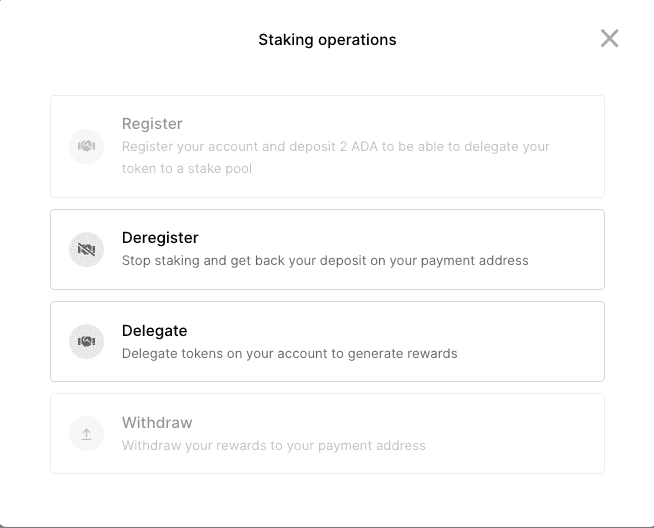
2. Use the **Withdraw** transaction to move rewards to your available balance.
3. Ensure a non-zero withdrawable balance before initiating a transaction.
**Security:** Rewards will only be received on the account that initiated the registration.
## Stake ADA via API
Access relevant API tutorials in our [API documentation](https://ledger-enterprise-api-portal.redoc.ly/developer-portal/docs/staking-introduction/).
---
# Agent Instructions: Querying This Documentation
If you need additional information that is not directly available in this page, you can query the documentation dynamically by asking a question.
Perform an HTTP GET request on the current page URL with the `ask` query parameter:
```
GET https://help.enterprise.ledger.com/help-center/staking/stake-cardano/stake-ada-from-account.md?ask=
```
The question should be specific, self-contained, and written in natural language.
The response will contain a direct answer to the question and relevant excerpts and sources from the documentation.
Use this mechanism when the answer is not explicitly present in the current page, you need clarification or additional context, or you want to retrieve related documentation sections.