> For the complete documentation index, see [llms.txt](https://help.enterprise.ledger.com/llms.txt). Markdown versions of documentation pages are available by appending `.md` to page URLs; this page is available as [Markdown](https://help.enterprise.ledger.com/staking/stake-polkadot/stake-dot-from-account.md).
# Stake DOT from Account
{% hint style="success" %}
This section is for Operators only.
{% endhint %}
## Prerequisites for staking DOT
To initiate staking operations, you need to be a **Creator** in the staking governance rules of the account. If you are not, please contact your administrators to request the necessary permissions.
## Stake DOT from app UI
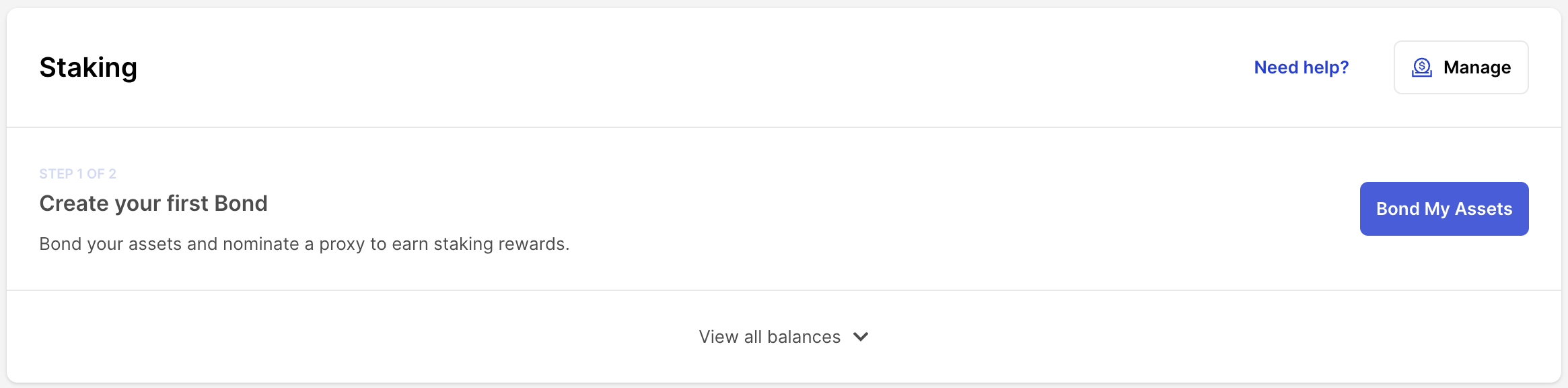
#### 1. Bond Assets
Ensure the previous step, **"Enabling Staking on a Polkadot Account,"** is completed by an Administrator (see here for more info). With the **Bond** action, you can:
1. Decide the rewards destination for the bonded asset.
2. Choose the amount to bond from your *available balance* to your *bonded balance*.
#### 2. Add Proxy
Proxy your nomination rights to a partner. On the Polkadot blockchain, participation in selecting one of the available validators is crucial but can be complex and time-consuming. Specialized companies provide validator and proxy nominator services.
To take advantage of these services, execute a transaction to designate our partner as your proxy nominator. This strategy maximizes potential rewards and minimizes the risk of network penalties.
#### 3. Earn Rewards
After appointing your proxy partner, rewards will flow daily. Depending on your chosen reward destination in the Bond process (step 3), they will either compound in your bonded balance or be directed to your available balance. Your earnings fluctuate based on validator selection and the current staking percentage, estimated at approximately **\~14.92% rewards** for staked assets given the current conditions.
#### 4. Polkadot's Extended Functionalities
To stake, you must bond assets to a specific balance, separate from your *available balance* and not immediately spendable. To regain control, you must **unbond** an amount, transitioning it to an **unbonding balance** for 28 days without generating rewards.
During this period, you can **rebond** part or all of your unbonding balance back to earn rewards. After 28 days, it becomes an *unbonded balance*, enabling you to **withdraw** it to your *available balance* or use the **Rebond** function.
You can change your **Reward Destination** any time post the initial bond: to your *bonded balance* for compounding (*Compound* option) or to your *available balance*, which is spendable (*Cash In* option).
## Stake DOT via API
Access relevant API tutorials in our [API documentation](https://ledger-enterprise-api-portal.redoc.ly/developer-portal/docs/staking-introduction/).
---
# Agent Instructions
This documentation is published with GitBook. GitBook is the documentation platform designed so that both humans and AI agents can read, navigate, and reason over technical content effectively. Learn more at gitbook.com.
## Querying This Documentation
If you need additional information that is not directly available in this page, you can query the documentation dynamically by asking a question.
Perform an HTTP GET request on the current page URL with the `ask` query parameter, and the optional `goal` query parameter:
```
GET https://help.enterprise.ledger.com/staking/stake-polkadot/stake-dot-from-account.md?ask=&goal=
```
`ask` is the immediate question: it should be specific, self-contained, and written in natural language.
`goal` is optional and describes the broader end goal you are ultimately trying to accomplish on behalf of the user. GitBook uses it to tailor the answer towards what is most useful for that goal.
The response will contain a direct answer to the question and relevant excerpts and sources from the documentation.
Use this mechanism when the answer is not explicitly present in the current page, you need clarification or additional context, or you want to retrieve related documentation sections.